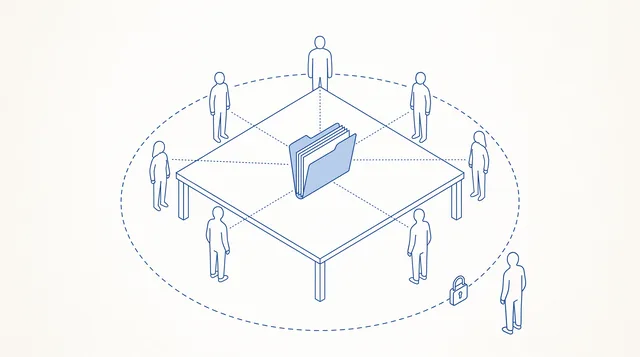
Keep every matter in order with law firm document management software.
Every matter in order, an AI assistant that cites the page and a data room to share files with clients and counterparties.
What law firm document management has to solve.
Legal document management and a data room for litigation.
From the matter file to the exchange with opposing counsel.
- 1
Litigation and arbitration
One folder per matter, with submissions, evidence and the history of every version.
- 2
Collecting documents
Request files from your client with a link: they land in the right folder.
- 3
Contract negotiation
Comments on the exact passage and signature in the browser when the deal is done.
- 4
Internal investigations
Access limited to the people involved, every action recorded.
The features you will use most.
Complete audit trail
Every upload, view, download and share, ready to export.
Certified documents
Every file and version recorded with its fingerprint, then certified.
Comments
Comment on a point of a page or a passage of text.
Signature in 30 seconds
Members and outside signers sign in the browser, with full legal value.
Frequently asked questions
Is DocuMap suited to law firm document management?
Yes. You organise matters in folders with versions and full-text search, ask the AI and get the answer with the page it cites, and share with third parties in a data room.
How do I share documents with opposing counsel?
Invite them to the matter's data room with access to the folders they need only. You can require an NDA before they enter; they join with a one-time code and no account, and each document can be view-only, with a dynamic watermark showing name and time. You can revoke access at any time, and every action they take stays in the log.
Are uploaded documents certified?
Every document enters the log with its fingerprint at upload; documents and actions are then certified with a qualified electronic seal and a qualified timestamp.
Is client confidentiality protected?
Data is encrypted in transit and at rest, on servers in the EEA, and documents are not used to train AI models. You decide who sees each folder, and TrueScreen Srl, the company behind DocuMap, is certified ISO/IEC 27001.
How can I see what was shared with opposing counsel, and when?
Every document enters the DocuMap log with its fingerprint at upload, and every view, download and share is recorded with the person and the time. Documents and actions are then certified with a qualified electronic seal and a qualified timestamp, and administrators can export the audit trail with the data room.
Can I limit a matter to the people working on it?
Yes. In DocuMap each person has a role, viewer, editor or administrator, and you can restrict them to specific folders of the matter. Outside parties join with a one-time code and no account, you can revoke access at any time, and every view, download and upload stays in the audit trail.
Which tools does DocuMap work with?
DocuMap imports files from Google Drive, SharePoint, OneDrive and Dropbox, and receives documents sent by email to the data room's own address. Through the MCP server you work on your matters from Claude, ChatGPT or Gemini, and your other systems connect through the API and webhooks.
Put your firm's case files in order.
See DocuMap at work on your own documents.